Add Search form to Blogger Beta Template

posted under by Xell™

At first Adding search form to blogger was difficult but now Blogger Accessories has made it easier. We can add search form to blogger in three method . But in this post I am going to concentrate only on Adding custom search form . Custom search form means you can modify the search form look by adding simple CSS style.
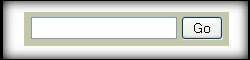


  this is the screenshot of  Search Form Widget


Step 1 : Log in to your blogger template and go to Layout section .


 Adding search Form Widget to Blogger Beta : Layout Image


Step 2 : Now click Add Page Element , in the List select Add HTML / JAVASCRIPT and paste the below code thereand save .

Now see your blog , there you can see a beautiful search form widget like this ,


I hope you like this hack . you can also add custom search submit buttom , background , etc.


I will tell you How to add Custom CSS to this search Form tomorrow in my next post .

Removing the Blogger Navbar

posted under by Xell™

What is the Blogger navbar?

Blogger navbar is the *navbar* you see at the top of your blog, and which allows users to move to a next random blog. It allows user to search your blog and also to mark any blog as spam.

So why should I remove it?

It depends on your perception. I find it unprofessional, because it sometimes spoils the look of your blog. If you have a subtle layout, they might get too obvious.

Are there any problems if I remove it?

Some of your viewers might be accustomed to a navbar and may miss it. Blogger calls navbar the bloggers equivalent of remote, as it allows bloggers to switch from one blog to other.

Ok how do I remove it?

If you are using Blogger for any length of time, you must be knowing how to edit the templates. So in your template find a >style type="text/css"> tag. Just after that insert


#b-navbar {

height:0px;

visibility:hidden;

display:none

}

That’s it. Save and republish. Your navbar should be gone.

This trick was first published at blogger-templates.blogspot.com

But does this not violate my Blogger TOS?

Blogger makes no explicit term that you may not remove it. But they do not also say if you can remove it. Also this is a pretty standard trick. So doing this should be no problem.

From:Blogger Tips And Tricks

How To Remove Label Post Count From Label Widget

posted under by Xell™

By default, Label Widget displays number of posts under a particular label. Label widget is one of the most used widget by readers or blog visitors. In this archive i show you "how to remove label post count from label widget". This is probably the easiest blogger hack among other hacks.

Before After
image image


- First, login to your blog , select tab "Layout", chose "Edit HTML".
- Check the box "Expand Widget Templates"
- You see the page reloaded. Ok. Now, find the code like this:

image

Easily way to found code above is use Find function of your browser - press Ctrl+F and enter this text : () tag is used to show post count of a label.

- To do what we need ( Remove posts count of label widget ), just delete the line you found ( selected line in image above ).

From:Blogger Tips And Tricks

top